

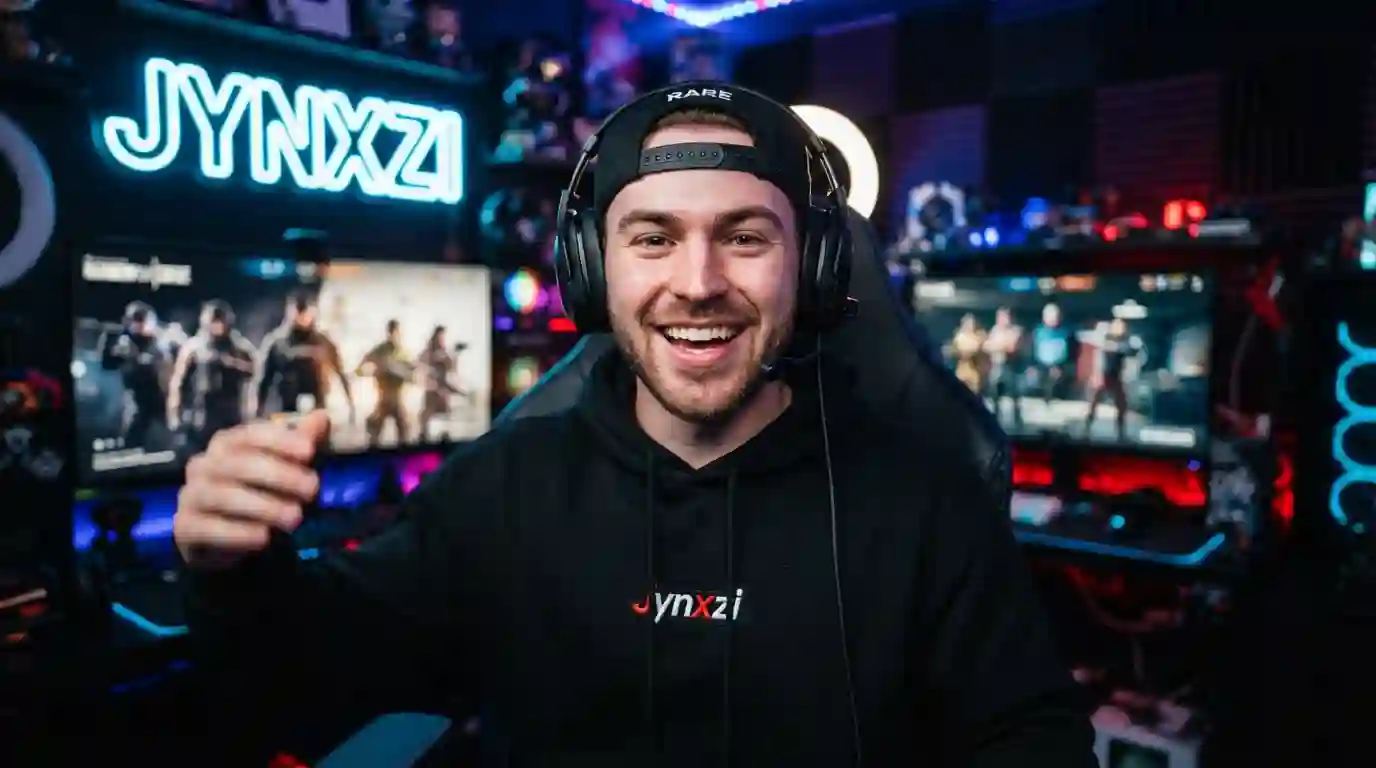
You want a fresh profile picture. Gaming is your thing, and so is Jynxzi. So a Jynxzi PFP is a great fit. So a Jynxzi PFP is a great fit.
This guide helps you pick the right one. You will learn about styles, sizes, and where to use them. You will also learn how to fix and make your own.
Quick Answer
A Jynxzi PFP is a profile picture inspired by the Rainbow Six Siege streamer. Fans use funny, cool, meme, anime, and edited styles on Discord, Xbox, TikTok, and more. Pick a clear face, crop it square, and use 512×512 for the best quality.
What Is a PFP?
PFP means profile picture. It is the small image next to your name in a chat, a game, or an app.
It is tiny, but it matters. People see it before they read a word. It shows who you are online.
A good PFP is clear and simple. It should still look good at the size of a coin.
What Is a Jynxzi PFP?
A Jynxzi PFP uses the look of the streamer Jynxzi. He is known for Rainbow Six Siege streams. He is also known for big face cam reactions.
Fans turn those moments into profile pictures. Some are screenshots, while others are drawings or edits. Many are jokes.
Who Is Jynxzi?
Jynxzi is an American Twitch streamer. He is best known for Rainbow Six Siege. Fans also call him Junko.
Many people ask, “What is the name of Jynxzi?” Jynxzi is his online name. Public sources list his real name as Nicholas Stewart.
Fans love his loud and honest reactions. Clips of those moments spread fast. That is why many fans turn them into profile pictures.
Why Jynxzi PFPs Are So Popular


His clips go everywhere. Short videos on TikTok and YouTube Shorts keep them alive. Every clip brings new fans.
Rainbow Six Siege also has a big player base. Many players watch top streamers to learn and laugh. That keeps his fan base strong.
His face is also easy to read. You can see his mood in a tiny circle. That is exactly what a good PFP needs.
Who Uses Jynxzi PFPs and Why
Different fans pick different looks.
- Ranked players use them to show the games they love.
- Casual fans pick the loud, funny faces.
- Meme fans use inside jokes only other fans get.
- Discord owners use them as server icons. New members see the theme at once.
- Friends match their PFPs for fun.
You do not need to watch every stream. A good reaction picture works for anyone.
What Your PFP Says About You
People form a first impression in seconds. Your small picture does a lot of that work.
A calm face says you care about skill. Wide eyes and an open mouth say you are here for fun.
A meme says you follow clip pages. An anime edit says you like fan art. A clean edit says you like style.
Pick the message you want to send. Then pick the picture.
Best Jynxzi PFP: How to Choose Your Favorite
Many fans search for the best Jynxzi PFP. The best one depends on you.
- Discord: a funny or reaction face with strong contrast.
- Xbox: a clear, steady face that stays sharp in a small icon.
- Instagram: a clean edit with soft color.
- Ranked account: a cool or tuff style.
- Friends: a goofy or meme face.
Can’t decide? Pick a strong reaction shot. It works almost everywhere.
Jynxzi PFP Styles


Jynxzi PFP Funny
This is the most popular style. It uses big reactions and wild faces.
It works best in servers about clips and games. People get the joke fast.
Keep the joke clear at a glance. Your PFP is small. If people must squint, the joke is lost.
Jynxzi PFP Edited
Edited pictures add light, color, and effects. A plain screenshot can look like a poster.
This style fits Instagram and Pinterest well. It looks planned, not grabbed mid-stream.
A good edit needs a strong face under it. Filters cannot fix a flat look. Use one strong effect, not five.
Original screenshots feel real and casual. Edits feel bold and polished. Pick the mood you want.
Fat Jynxzi PFP
This is a joke edit. It shows a rounder, stretched version of his face cam. Fans turned it into a meme.
It is an inside joke. It is playful, and it is not meant to hurt anyone.
Use it in meme servers and with friends. A general gaming server may not get it.
Goofy Jynxzi PFP
A goofy PFP catches him mid-reaction. The face is not posed. It looks friendly and fun. This style suits casual Discord servers with friends, and it also starts chats.
Weird Jynxzi PFP
Some pictures come from an odd frame. The webcam catches a blink or a shout at a strange moment.
Editors love these. They add warp effects and odd angles. The result is strange, but fun.
It stands out on Instagram and Pinterest. Most gaming PFPs there look neat. A weird one gets noticed.
Funniest Jynxzi PFP
These are the best-known reactions. They keep coming back in clip videos.
Most fans know them. That makes them less personal. But everyone gets the joke.
You do not need to edit them. The raw face does the job on Discord or WhatsApp.
Wild Jynxzi PFP
This style shows pure shock. Wide eyes. Open mouth. It looks like a big moment in a match.
Add bold color or strong light, and it hits harder. It looks great on TikTok or a Discord banner.
Cool Jynxzi PFP
This style is calm, not wild. It often comes from the quiet moments between clips.
Dark tones and a steady face fit a serious server. A screaming face would feel out of place.
Jynxzi PFP Meme
Meme PFPs put his reaction on a template the internet already knows. That makes them easy to share.
They work best in servers that mix Rainbow Six talk with meme talk. You need to know both to get the joke.
Memes get old fast. Pick one you will still like in six months.
Jynxzi PFP Anime
Anime PFPs redraw his face in a new art style. You get bold lines, bright colors, and soft light. This trend comes from anime fan art, not from the game.
This look fits Pinterest and Instagram well. It also looks fresh on Discord.
Jynxzi PFP Reaction
Reaction is where it all began. It is a real face with no edits.
It works anywhere. Even people who never watched a stream get it. A real reaction just feels fun.
Jynxzi PFP Tuff
“Tuff” is slang for strong and cool. A tuff PFP has sharp contrast and a serious face.
It is the opposite of funny. It looks tough and ready to compete. it fits ranked accounts and esports servers. A meme face could spoil the mood there.
Jynxzi Aura PFP
“Aura” is slang for a cool, strong presence. An aura PFP shows a calm face with a glow, dark light, or bold color.
Jynxzi AI PFP
Some fans use AI tools to make new art. They may turn a face into a painting or a cartoon. Use a tool you trust. Read its rules before you post the result.
Crossover PFPs
Fans also mix his face with other famous names, like Ice Spice. Others pair him with cartoon duos, like SpongeBob and Patrick. These are quick jokes. They work best with friends who get the humor.
Jynxzi 4K and HD PFP
Sharp pictures look better everywhere. A 4K or HD picture lets you crop close to the face and keep the detail.
Start with the biggest file you can find. You can always make it smaller. You cannot make a small, blurry file sharp again.
Jynxzi PFP for Rainbow Six Siege
Many fans mix his look with game art. You may see operator-style designs or team themes.
If you play Siege, this style is a great match. It shows your game and your favorite streamer together.
Keep the face large. Add a small hint of the game, like a dark tactical color. Do not fill the image with icons.
Jynxzi PFP for Each Platform


Jynxzi Discord PFP
Discord is the top place for gaming PFPs. Your picture shows in every chat and server. Pick something bold with strong contrast.
A funny or reaction face fits casual servers. A cool or tuff face fits a team or ranked group.
Jynxzi PFP for Xbox
Your Xbox picture sits next to your gamertag. Friends see it in party chat, in lobbies, and on your friends list.
Keep it simple. A calm face looks sharp in a ranked lobby. A funny face works great with friends.
Siege plays on Xbox, PlayStation, and PC. So a clear, simple image works for everyone.
Funny Jynxzi PFP for Xbox: A funny face can break the ice before a match. Pick a clear joke. Keep it centered so the crop does not cut it.
Jynxzi PFP for Xbox 512×512: Xbox uses a square picture. A 512×512 image is a safe pick. If the upload fails, try a smaller file. Then check that the face sits near the middle.
Jynxzi PFP for Steam
Steam shows your picture on your profile, in chats, and in your friend list. Use a square image. Keep the face large so it reads at icon size.
Jynxzi TikTok PFP
On TikTok, your PFP sits in a tiny circle. A close-up face works best. Skip busy backgrounds and small text.
Bold colors help. They stand out as people scroll fast.
Jynxzi Instagram PFP
Instagram crops to a circle. Edited and anime styles fit well here. Soft color and clean light look polished.
Jynxzi Twitch PFP
If you stream, your PFP is part of your brand. Keep it clean. Use the same image on your panels, chat badges, and social pages.
Jynxzi PFP for X (Twitter)
People also ask, “What is the best profile picture for Twitter?” The same rules apply to X.
- Use a square image. X crops it to a circle.
- Keep the face large and centered.
- Use a sharp file. 400×400 is a common size, and 512×512 also works well.
- Use bright, simple colors.
- Skip tiny text.
Pinterest and WhatsApp
Edited and anime styles fit Pinterest well. On WhatsApp, a clear funny face makes group chats lively.
Jynxzi GIF PFP
A GIF PFP moves. It can loop a reaction, a glow, or a flash of color.
It looks great, but it has limits. Some apps do not allow moving pictures. On Discord, an animated avatar may need a paid plan. Check the current rules.
Keep the loop short and smooth. A fast, flashing GIF is hard to watch in a small circle. Choose a gentle motion.
Jynxzi Matching PFPs
Matching PFPs are fun for friends, squads, and server teams.
Here are some easy ideas:
- Use two halves of one image.
- Use the same face in different colors.
- Pair one funny face with one cool face.
- Make a set for your whole squad.
Matching PFPs make your group easy to spot. They look great in a team Discord.
Jynxzi Banner, Server Icon, Emotes, and Stickers
A PFP is only the start. You can build a full look around it.
Banners
A banner is a wide image at the top of your profile. Use the same colors as your PFP. Keep the face away from the edges, since wide crops can cut it.
Discord Server Icons and Server Ideas
Some owners use a Jynxzi face as the server icon. New members know the theme at once. A fan server can have channels for clips, memes, Siege tips, and PFP sharing.
Emotes and Stickers
Reaction faces make great emotes. They are small, loud, and funny. Crop tight and show one clear mood, like shock or joy. Check each app for its size and file rules.
Jynxzi Fan Culture: Memes, Reactions, and Slang
Memes and Famous Reactions
Jynxzi clips often become memes. Fans share them in group chats and on short video apps. Some moments, like “Light Work” and “No Reaction,” are well known in the fan community.
Many PFPs come from these moments. A good meme PFP is one people still get months later.
Nicknames
Fans also call him Junko. You may see that name on fan pages, clips, and art.
Quick Slang Guide
- Tuff: strong and cool.
- Aura: a calm, strong presence.
- Goofy: silly and playful.
- Edited: changed with color, light, or effects.
These words help you find the right PFP faster.
Funny Jynxzi Photos
Some fans want a photo, not a full edit. Funny Jynxzi photos are usually stream screenshots with a clear face and a big mood. After a square crop, they work well as a PFP.
Jynxzi Picture, Wallpaper, and Logo
Some fans want more than a PFP. They look for a Jynxzi picture to save, a Jynxzi wallpaper for a phone or PC, or a Jynxzi logo for a server.
A wallpaper can match your PFP. Use the same colors for a clean look. A logo-style image works well as a server icon or banner. Make sure you have the right to use it.
Fan Art
Fan art is a big part of this scene. Artists draw him in anime, cartoon, and painted styles. Support them. Credit their work.
What Is Jynxzi’s Gamertag?
Fans often ask, “What is Jynxzi’s gamertag right now?” There is no single answer. Gamertags can change.
The safest way is to check his official social pages. Do not trust random accounts. Many fake profiles copy famous creators.
Best Size for PFPs
Most apps crop your image to a circle or a square. So start with a square.
512×512 is a safe size. It stays sharp and loads fast. Sizes can change, so check each app before you upload.
- Discord: 512×512 looks sharp.
- Xbox: Keep the face in the center.
- Steam: Keep the face large.
- TikTok: Use a clear, close-up face.
- Twitch: Keep key details in the middle.
- Instagram and Pinterest: Both can crop to a circle.
- X (Twitter): Let the face fill most of the frame.
- WhatsApp: Keep the face large and centered.
Always keep the face near the middle. Circle crops cut off the corners.
How to Resize a PFP to 512×512
You do not need special skills. Any basic photo editor can do it.
- Open your image in an editor.
- Crop it to a square. Keep the face in the center.
- Open the resize option.
- Set the width and height to 512.
- Keep the quality high.
- Save a copy. Keep your original.
If the picture was small at the start, it may look soft. Use a bigger image when you can.
How to Crop a PFP Into a Circle
Most apps crop to a circle for you. You just need to place the face well.
- Upload your square image.
- Move the circle guide over the face.
- Zoom in until the face fills most of the circle.
- Keep the eyes and mouth inside the edges.
- Save.
If you want a circle file, use an editor with a round crop tool. Save it as PNG to keep clear corners.
Why Is My PFP Blurry? How to Fix It
A blurry PFP is a common problem. Here are the usual causes and fixes.
- The image is too small. Use a larger one.
- You stretched it. Resize with the same width and height.
- The file was squeezed too much. Save with higher quality.
- The app shrank it. Upload a 512×512 file so the app has less to change.
- The crop was too wide. Zoom in on the face.
Fix the source image first. It solves most blur problems.
PNG vs JPG for PFPs
Which file type should you pick?
- PNG: Best for sharp lines and clean edges. The file is bigger.
- JPG: Best for photos and small files. It can lose some detail.
For most Jynxzi PFPs, PNG is a safe choice. Use JPG if an app wants a smaller file.
Free PFP Maker Tools
You do not need to pay to make a good PFP. Many free tools can crop, resize, and add simple effects.
Look for tools that offer:
- A square crop
- A circle preview
- Basic color and light controls
- PNG export
Start simple. A clean crop beats a messy edit.
Light and Dark Themes: Test Both
Many apps let people pick a light or dark theme. Your PFP will show on both.
A dark picture can vanish on a dark theme. A pale one can fade on a light theme. Add a bright color or a clear outline around the face. Then check both modes.
Image Rights and Respect for Artists
Many PFPs are fan art. Real people made them. Some artists spend hours on one piece.
Be kind and fair.
- Use images for personal profile use when you can.
- Credit the artist when you share their work.
- Do not say someone else’s art is yours.
- Do not sell art you did not make.
- Follow the artist’s rules if they ask you not to edit a piece.
- Follow the rules of each site.
This is general advice, not legal advice. Check the source when it matters.
How to Set Your PFP on Discord
- Save the image to your phone or computer.
- Open Discord.
- Go to your user settings.
- Open your profile.
- Choose the option to change your avatar.
- Upload the image.
- Move the crop circle over the face.
- Save your changes.
It takes under a minute.
How to Change Your Xbox Profile Picture
Xbox steps can change with updates. Here is the general path.
- Save your square image to your phone or a drive.
- Open the Xbox app or your console profile.
- Go to your profile and choose customize.
- Pick the option to use a custom picture.
- Upload your image.
- Adjust the crop if asked.
- Confirm the change.
If the option is missing, check the latest Xbox help page. Some changes take a few minutes to show.
How to Pick the Right PFP
You have many choices. Use these steps to narrow them down.
1. Think About Where You Will Use It
A funny meme fits Discord. A clean look fits a stream. Match the image to the place.
2. Check the Quality
Zoom in. Is the face sharp? Are the edges clean? If not, skip it.
3. Pick a Clear Face
Small details vanish in a tiny circle. A big, clear face wins.
4. Keep the Colors Simple
Bright colors pop. Too many colors look messy. Use two or three main colors.
5. Test It Small
Shrink the image to the size of a coin on your screen. Can you still see what it is? Then it works.
6. Pick a Style You Will Still Like Later
Trends change fast. Pick a picture that makes you smile today and next month.
How to Make Your Own Jynxzi PFP
Want something no one else has? Make it yourself. You do not need to be an artist.
Step 1: Start With a Good Image
Pick a clear, high-quality picture or drawing. Use a source you have the right to use. If it is fan art, credit the artist.
Step 2: Crop It Square
Use any photo editor. Put the face in the center.
Step 3: Resize It
Set the size to 512×512.
Step 4: Add Simple Edits
Try one of these:
- A bright color behind the face
- A soft glow
- A thin border
- A small sticker or icon
Do not add too much. Less is more.
Step 5: Save It the Right Way
Export as PNG for sharp lines. Use JPG if you need a small file.
Step 6: Test It
Upload it. Check how it looks in a small circle. Fix anything that looks off.
Tips for a Better PFP
- Use contrast. A bright face on a dark background stands out.
- Fill the frame. Zoom in so the face fills most of the square.
- Avoid tiny text. No one can read it in a small circle.
- Match your name. Your PFP and username should feel like a team.
- Match the server. Funny for casual chats. Cool or tuff for ranked play.
- Keep it steady if you stream. Fans learn to spot your image. Use it on every platform.
- Update now and then. A fresh image keeps your profile alive.
How Often Should You Change Your PFP?
There is no rule. Some people change theirs every week. Others keep one for years.
If you run a channel, keep it steady. If you just chat with friends, switch it up. Try a new style each month.
A good time to change is when you start a new game, join a new team, or just want a fresh look.
Common Mistakes to Avoid
- Using a blurry image. It looks bad when enlarged.
- Picking a busy background. The face gets lost.
- Cropping the face off-center. Circles cut the corners.
- Using a huge file. Some apps reject it.
- Choosing an old joke. Fans may not get it.
- Using a meme in the wrong server. Inside jokes need the right crowd.
- Trusting fake accounts. Always check official pages for real news about a creator.
- Ignoring app rules. Each site has its own limits.
Frequently Asked Questions
It is a profile picture inspired by the streamer Jynxzi. Fans use funny, cool, meme, anime, and edited styles on gaming and social apps.
PFP means profile picture. It is the small image next to your name on an app or game.
Jynxzi is his online name. Public sources list his real name as Nicholas Stewart. Fans also call him Junko.
It can change over time. Check his official social pages for the latest name. Be careful with copycat accounts.
There is no official answer. Fans make jokes and comparisons in memes. What matters is that his face is easy to spot, which makes it great for a PFP.
It depends on where you use it. A strong reaction shot works almost everywhere. Cool and tuff styles suit ranked play. Funny and goofy styles suit friends.
Use a sharp, square image with a large, centered face. Keep the colors simple and skip tiny text. A 512×512 file works well.
A square image at 512×512 works well on most apps. Always check the rules for each app.
Save a square image and upload it in your Xbox profile settings. A 512×512 file is a safe size. Menus can change, so check Xbox help if you get stuck.
Yes. The picture is about his content, not one console. Siege plays on Xbox, PlayStation, and PC.
Some apps allow it, and some do not. Discord may need a paid plan for animated avatars. Check the current rules first.
The image may be too small, stretched, or squeezed. Start with a larger image, resize evenly, and save at high quality.
PNG keeps edges sharp. JPG makes smaller files. PNG is a safe choice for most PFPs.
Cool and tuff styles look calm and sharp. Save the loud faces for casual servers.
Original screenshots feel real and casual. Edits feel bold and polished. Pick the one that fits your mood and your app.
No. A plain reaction picture works for anyone. Meme edits make more sense if you follow his clips.
Often, yes, for personal use. Credit the artist when you can. Never say it is your own work.
“Tuff” is slang for strong and cool. A tuff PFP has a bold, serious look.
“Aura” is slang for a cool, strong presence. An aura PFP shows a calm face with bold light or color.
Look on fan art pages and picture boards. Pick high-quality images. Make sure you can use them before you post them.
There is no rule. Streamers should keep one steady. Casual users can switch whenever they like.
Conclusion
A great Jynxzi PFP is simple. It has a clear face, strong colors, and a style that fits you. Funny, cool, meme, anime, and edited looks all work well.
Pick the message you want to send. Calm says skill. Wild says fun. Then match the picture to the app, whether it is Discord, Xbox, Steam, TikTok, or X.
Start with a sharp image. Crop it square. Use 512×512 and test it on both light and dark themes. Credit the artists you love.
Now pick your favorite Jynxzi PFP and show it off on your profile.

Noah Bennett is a writer and PFP enthusiast who explores funny profile pictures, memes, reaction images, cartoons, anime, and online trends. He enjoys finding profile pictures with personality and turning them into easy-to-browse collections for social media, gaming, and messaging apps. His goal is to help readers find a PFP that feels fun, unique, and truly matches their online personality.
