

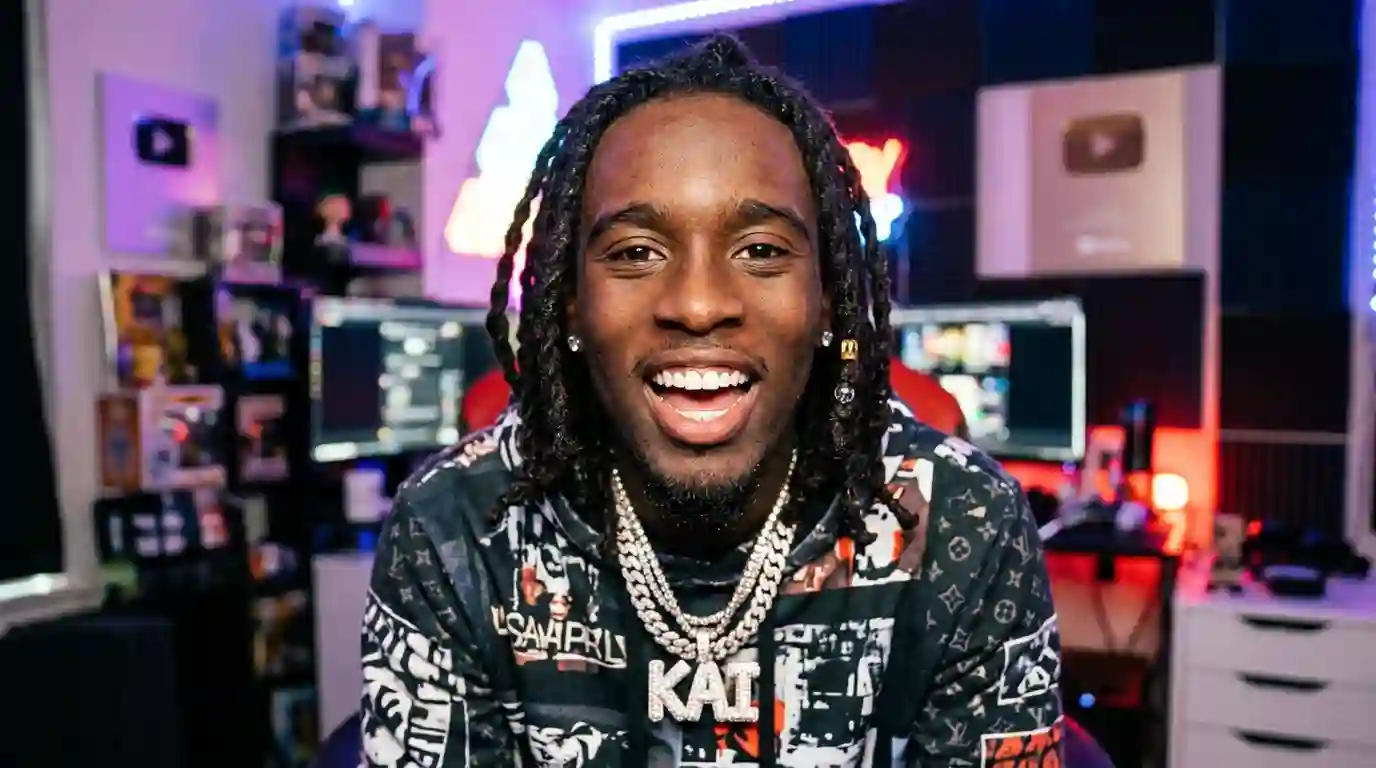


Looking for a Kai Cenat pfp? You are in the right place. Kai Cenat is one of the biggest streamers online. His face, his moods, and his big moments turn into memes every week. Fans love using them as profile pictures. This guide will help you pick a good one. You will learn what styles exist, where to find them, how to fix a blurry image, and how to set it up on Discord, Instagram, TikTok, Twitch, and more. Everything is in simple words, so you can find your next pfp fast.
What Is a Kai Cenat PFP?


PFP means “profile picture.” It is the small image next to your name on social media. People see it before they read your post. So it matters. A Kai Cenat pfp is any profile picture that uses Kai Cenat’s face, a meme of him, or fan art of him. Some are clear photos. Some are funny screenshots from his streams. Others are edits, cartoons, or anime-style art.
Most people pick one for a simple reason. It makes them smile. And it tells others, “I watch Kai.”
PFP, Avatar, and Profile Photo: What Is the Difference?
These words mean almost the same thing. Here is a simple way to see it.
- PFP is the short, slang word. Fans use it the most.
- Avatar is the word Discord, Steam, and Reddit use. It can be a photo, a drawing, or a cartoon.
- Profile photo or profile picture is the word Instagram, TikTok, and Facebook use. It often means a real photo.
So when you see “Kai Cenat avatar” or “Kai Cenat profile picture,” it is the same idea as a Kai Cenat pfp.
Who Is Kai Cenat?


Kai Cenat is a streamer and content creator from New York. He streams on Twitch and posts on YouTube and Instagram. He is known for his big energy, fun reactions, and long live streams. His fans watch him for the fun. He jokes, dances, plays games, and meets other creators. Many of his best moments end up as clips. Those clips become memes. And those memes become profile pictures.
That is why searches for Kai Cenat memes keep growing. His face is made for the internet.
If you want more of his stuff, the Kai Cenat Twitch channel is the best place to start. Many pfp ideas begin as a stream moment there.
Why Are Kai Cenat PFPs So Popular?


There are a few reasons.
His reactions are easy to read. One look and you know the mood. Surprise, joy, or pure excitement. A profile picture should say something fast. His faces do that.
His fans are huge. When millions of people watch one creator, many want to show it. A pfp is the easiest way.
The memes feel fresh. New streams bring new clips. New clips bring new faces. You will never run out of options.
They fit any server or group. Friends on Discord often use matching memes. A Kai pfp is a quick way to join the joke.
What Kind of Moments Turn Into Memes?
Most Kai Cenat memes start as a short clip. Fans pause the video, take a screenshot, and share it. Here are the kinds of moments that often work well.
- Big reactions. A surprised face or a loud laugh.
- Dance moments. Fun, moving shots that make a great GIF.
- Funny game moments. A surprise in the middle of a game.
- Guest moments. Times when he hangs out with other creators.
- Chat moments. When he reads a funny message and reacts.
A good tip: pick a moment you actually watched. You will know the joke. And you will get the best laughs when friends ask about it.
Types of Kai Cenat PFP You Can Pick
Not every pfp is the same. Here are the main styles. Pick the one that fits you.
Funny Kai Cenat PFP
This is the most popular type. A Kai Cenat pfp funny enough to get a laugh usually uses a silly or surprised face from a stream. The face is often big and close up. It works well in small circles because the details are easy to see.
If you want people to laugh when they see your name, start here.
Kai Cenat Meme PFP
Some memes are known all over the internet. People use them in group chats, comments, and replies. A Kai Cenat pfp meme can show a funny face, a reaction, or a famous clip frame.
Meme pfps are great for gaming servers. They show you get the joke.
Kai Cenat Face Meme
A face meme is a tight shot of one big expression. It might be wide eyes, a surprised look, or a huge laugh. These work well because the face fills the whole frame. Even at a tiny size, people can read the mood.
Kai Cenat Meme Teeth
Some memes focus on a big, bright smile. Fans call these the “teeth” memes. They are playful and friendly. They look great as a pfp because a smile is easy to spot, even in a small circle.
Kai Cenat Meme GIF
A GIF is a short moving clip. Many fans like a Kai Cenat meme GIF because it adds life to a page. Some apps let you use a moving profile picture. Others only show one still frame. Check your app first. If it does not support GIFs, pick one frame from the clip and save it as a normal image.
Kai Cenat Pictures Meme
Sometimes you just want a good still image. Kai Cenat pictures meme searches bring up screenshots, edits, and fan-made images. These are easy to crop. They also load fast, which is nice on slow phones.
Twitch Streamer PFP
Many fans pick a “Twitch streamer pfp” style image. It shows Kai in his stream setting, or a simple face that fits the Twitch look. It is a good choice if you chat on Twitch a lot. Your name and your face will match the stream you love.
Kai Cenat Face Close-Up
Some people want just the face. No text. No extra items. A tight crop of a big expression looks strong at a small size. It is also the easiest to crop for a round frame.
Cartoon and Anime Kai Cenat PFP


Fan artists draw Kai in many styles. You can find cartoon versions, anime versions, and pixel art. These look unique. Fewer people use them, so you stand out.
If you like anime pfps in general, this style may be your match.
Black and White Kai Cenat PFP
A black and white edit gives a clean, bold look. It feels calm and simple. It also helps if your page uses dark mode.
Edited and Glitch Style PFP
Some creators add filters, glow, or glitch effects. These edits can look cool on Discord and TikTok. Just keep the face clear. Too many effects make the image hard to see.
Group and Duo PFP
Some fans use Kai with another streamer. You can search for duo images with other creators. These work well for matching pfps with a friend. For example, many people also look for an IShowSpeed pfp when they want a streamer pair. Pairing two famous streamers is a fun way to show you like both.
Funny Streamer PFP Ideas Beyond Kai


Kai is not the only streamer with great memes. If you like this style, try these ideas too.
- Other streamers’ reaction faces. Look for big, clear expressions.
- Gaming clips. A funny frame from a game you love.
- Creator group photos. Good for friends who watch the same streams.
- Mix and match. Use Kai for Discord and another streamer for Twitch.
Switching styles on each app keeps your pages fresh. It also shows your taste.
Where to Find a Kai Cenat PFP
Here are the best places to look. Each one works a little differently.
Pinterest is the top place to browse. If you type Kai Cenat pfp Pinterest into a search bar, you will see hundreds of ideas. There are funny faces, wallpapers, and meme boards.
It is great for inspiration. You can save pins to your own board. Then you pick your favorite later.
One tip: try a few different search words. Add “funny,” “meme,” or “wallpaper” to get new results.
Pfps.gg and Other PFP Websites
Some sites are built just for profile pictures. Pfps.gg is one of them. It lists images by name and style, and it has a Twitch Pfps category. You can download a file in one click.
For example, one Kai Cenat profile picture there was uploaded by a user named Kohai in April 2024. It is a PNG file at 300×300 pixels. The page shows how many people have downloaded it, which helps you see what is popular. The same category also lists other Twitch pfps, such as Pomni and Rihanna.
Keep in mind that pfps on these sites are uploaded by third parties. If you ever see an image that breaks the site rules, you can report it.
These sites are fast. They are good when you know what you want and just need the file.
Kai Cenat has an official Instagram page. It has millions of followers. His posts show his current look and style. You can get ideas from it.
Be careful, though. Saving someone’s photo does not mean you own it. Use it only as a fan, and always make clear your page is a fan page.
Google Image Search
A simple search can also work well. Type a short phrase like “Kai Cenat face meme” and open the Images tab. Then add one more word, like “funny” or “GIF,” to narrow it down. Always try to open the original page. It often has a sharper copy of the image.
Stock Photo Sites
Stock photo sites have high-quality pictures of public events. These are sharp and clear. But they are often not free. You may need to pay or get a license to use them.
Many of these photos are marked “editorial.” That means they are meant for news and stories. They are usually not meant for ads, products, or anything you sell. “Royalty-free” is a different label. It means you pay once and can use the image under the site’s rules. Always read the license before you use a photo.
Most fans do not need this. A meme or fan edit is easier and cheaper. But if you want a very clear photo, it is an option.
Fan Art Pages
Many artists post Kai fan art on social media. Search for fan art tags. Ask the artist if you can use their work. Most are happy to say yes. A short thank-you goes a long way.
Kai Cenat Wallpapers and Banners
A pfp is only one part of your page. Many fans also pick a matching wallpaper or banner.
- Wallpapers fill your phone or computer screen. Pinterest has many Kai Cenat wallpaper ideas.
- Banners are the wide image at the top of a profile. Discord, Twitch, and X (Twitter) all use them. Some pfp sites have a banner section too.
A good trick is to match colors. If your pfp has a blue glow, pick a blue banner. Your page will look clean and planned.
How to Pick the Best Kai Cenat PFP


Not every image works well as a profile picture. Use this simple list.
1. Choose a clear face. Your pfp is tiny. Blurry images look bad.
2. Keep it centered. Most apps crop your image into a circle. If the face is in a corner, it may get cut off.
3. Pick high quality. A small, low-quality image will look fuzzy when stretched. A 300×300 PNG is fine for most apps. Try for 500 by 500 pixels if you can find it.
4. Match your vibe. Funny? Calm? Bold? Pick a look that feels like you.
5. Think about your group. In some Discord servers, certain memes are a running joke. Pick one that fits the mood.
6. Follow the rules. Some servers and apps limit certain images. Pick one that is safe for everyone. Keep it fun.
Best PFP Size for Each App
A square image works best everywhere. Apps crop it into a circle. The sizes below are safe picks. Apps can change their rules, so check the upload screen if you are not sure.
| App | Safe size to upload |
|---|---|
| Discord | 512 x 512 pixels |
| 320 x 320 pixels or larger | |
| TikTok | 200 x 200 pixels or larger |
| Twitch | 256 x 256 pixels or larger |
| Twitter (X) | 400 x 400 pixels |
| Steam | 184 x 184 pixels or larger |
| 320 x 320 pixels or larger | |
| 256 x 256 pixels or larger |
If you are not sure, use 512 by 512. It works well almost everywhere. Bigger is fine. Smaller can look blurry.
How to Fix a Blurry Kai Cenat PFP


Found a great meme, but it looks fuzzy? Do not give up. Try these steps.
- Find the original. Search for the first post. The first upload is often the sharpest.
- Crop tight. Zoom in on the face. Cut away extra space.
- Use a free editor. Canva and Photopea both run in your browser. Look for a tool called “upscale” or “enhance.”
- Add a little sharpening. Just a small amount. Too much makes the image look rough.
- Save as PNG. PNG keeps more detail than a small JPG.
- Use a plain background. A plain color behind the face helps it stand out.
If the image is very tiny, there is a limit to what a tool can do. In that case, look for a bigger copy.
How to Turn a GIF Into a Still PFP
Love a Kai Cenat meme GIF but your app only takes still images? You can pick one frame.
- Open the GIF on your phone or computer.
- Play it until you see the best face.
- Pause and take a screenshot.
- Crop the screenshot to a square.
- Upload it as your pfp.
You can also use a free GIF tool online. Many let you pull out one frame as a PNG. This often gives a cleaner picture than a screenshot.
Can You Use an Animated Kai Cenat PFP?
Yes, on some apps. An animated pfp is a moving profile picture.
- Discord can show animated avatars if you have Nitro.
- Twitch can show GIF profile pictures in some cases.
- Instagram, TikTok, and Facebook usually show only a still image.
If the app does not support it, you will see one frame. So choose a GIF that also looks good as a still. That way you are covered either way.
How to Set a Kai Cenat PFP on Each App
Every app is a little different. Here are the basics. In each case, download the image first, then follow the steps.
On Discord
Open Discord and click the Settings gear next to your name. Go to the User Profile tab. Click Change Avatar and upload the image. Crop it to fit the circle. Then click Apply to save.
On Instagram
Go to your profile. Tap Edit Profile. Tap Change Profile Photo, then choose New Profile Photo. Pick your file. Move the image so the face sits in the middle of the circle. Tap Done.
On TikTok
Open your profile by tapping the Profile icon. Tap Edit Profile. Tap Change Photo. Upload and crop it. TikTok shows a small circle, so keep the face big. Tap Save.
On Twitch
Open your Settings. Go to Profile. Upload a new picture. Twitch likes square images, so crop before you upload. This helps your chat name look sharp. A Kai Cenat pfp Twitch fans use often is a simple, bright face, since chat moves fast and people only see your icon for a second.
On Twitter
Go to your profile and click Edit Profile. Click your profile picture to upload a new one. Select the file and adjust the crop. Then save your changes.
On Steam
Click your username and select View Profile. Click Edit Profile. Choose Avatar from the sidebar. Upload your image and save.
On Facebook
Open your profile and click your current profile picture. Select Update Profile Picture. Upload the new image and save your changes.
On Reddit
Log in and click your avatar. Go to User Settings, then the Profile tab. Upload your new picture and save.
How to Save a Kai Cenat PFP the Right Way
Here is a simple way to do it.
- Find the image you like.
- Open it in full size.
- Tap or right-click and choose Save Image, or press the Download button on a pfp site.
- Open the file on your phone or computer.
- Crop it to a square.
- Upload it to your app.
If you use a phone, the Pfps.gg app on the Google Play Store can make this easier.
Also, check the page for download rules. Some sites ask you to credit the creator. It only takes a second.
Is It Okay to Use a Kai Cenat PFP? A Simple Look at the Rules


Most fans use a Kai Cenat pfp just for fun. That is very common. But a few simple rules keep things smooth.
- Make it clear you are a fan. Apps like Discord, Twitch, and Instagram want accounts to be honest. Add a name that shows you are a fan.
- Keep it non-commercial. Do not put his face on shirts, mugs, or ads without permission.
- Credit the artist. If a fan made the art, say thanks.
- Keep it for fun. A pfp is for fun and for showing what you like.
- Follow each app’s guidelines. Every app has its own rules.
This is general info, not legal advice. When in doubt, pick fan art you have permission to use, or make your own edit.
Matching PFPs With Friends
Matching pfps are fun. Here are a few ideas.
- Same meme, same face. Everyone in the group uses the same Kai image.
- Split image. Cut one picture in half. You get one side. Your friend gets the other.
- Different faces. Each friend picks a different reaction from Kai.
- Streamer duo. Pick two streamers who often appear together.
These are easy to make in any free photo editor.
What Does a Kai Cenat PFP Mean?
Some people ask what a Kai Cenat pfp meaning really is. The answer is simple. It usually means the person is a fan. Or they find the meme funny. Or both.
It does not have a deeper meaning. It is just a way to show your humor and what you like to watch.
In some groups, it may be a joke. In others, it is a sign of respect. You decide what it means for you.
Who Are the People in Kai Cenat PFPs?
This is a question many fans ask. Some memes show Kai with another person. That leads to searches like “who is the person in Kai Cenat’s pfp” or “who’s the lady in Kai Cenat pfp.”
Some fans also ask about the old lady in a Kai Cenat pfp. Others type in names like La Peace or Ray next to the words “Kai Cenat pfp.” These names often come from stream clips, videos, and fan chats.
Here is the best way to find a real answer.
- Save the image.
- Search for the first post or the original clip.
- Check the video title and the comments from the creator.
- Trust the source, not random guesses.
Memes travel fast. Their stories can get mixed up. The original video is always the safest place to learn who is in the picture.
FAQs
Most show Kai himself, so check the original video to be sure.
Yes, for fun as a fan, but keep it non-commercial.
Yes, just follow Twitch rules and pick a safe image.
Try Pinterest, Pfps.gg, and fan art pages.
Yes, if your app supports moving images; otherwise save one frame.
A 512 x 512 square works almost everywhere.
Use a photo for a clean look and a meme for a funny one.
Final Thoughts
A Kai Cenat pfp is a fun way to show your style. There are many kinds to pick from. You can go funny, simple, bold, or full anime. You can choose a still picture, a face meme, or a GIF. Start with Pinterest and pfp sites like Pfps.gg. Look for a clear face and a good size. Fix it if it is blurry. Crop it into a square. Then upload it to Discord, Instagram, TikTok, Twitch, or any app you use, and enjoy. If you want a fun pair, check out an IShowSpeed pfp too. Matching two streamers can make your page stand out. Most of all, have fun with it. A profile picture is small, but it tells people who you are. Pick one that makes you smile.
Happy searching, and may your next pfp get a lot of laughs.

Noah Bennett is a writer and PFP enthusiast who explores funny profile pictures, memes, reaction images, cartoons, anime, and online trends. He enjoys finding profile pictures with personality and turning them into easy-to-browse collections for social media, gaming, and messaging apps. His goal is to help readers find a PFP that feels fun, unique, and truly matches their online personality.
